Quick answer: To make a Canva wedding invitation, open an editable template, replace the names, date, time and venue, adjust fonts and colors, then download it as PDF Print with crop marks and bleed. Print on heavy cardstock at home or at a print shop, or download a PNG to send as a digital invite. Mail invitations six to eight weeks before the wedding.
A Canva wedding invitation gives you the look of custom stationery without the custom price or the long wait. You start with a design that already has the spacing, fonts and flowers worked out, then you change the words to tell your own story. You can print it at home, take it to a local print shop, or send it by text and email.
This guide walks you through choosing a template, editing every detail in Canva, getting the wording right, and printing invitations that look professional. Along the way you will see the wedding templates our team designed, from soft florals to clean minimal styles, each one fully editable in a free Canva account.
Why use a Canva wedding invitation template?
Couples choose Canva templates for three simple reasons:
- You control every word. Change names, dates, colors and fonts as many times as you like, with no proof fees.
- You save money. A template plus printing usually costs far less than a custom stationery order, which leaves more room in the budget for flowers or food.
- You get speed. Plans change. A venue moves or a date shifts, and you can update the file in minutes instead of reordering.
A free Canva account is all you need for our templates. You do not need Canva Pro unless you want to use Pro elements or fonts that are not already in the design.
Choose your wedding invitation style
Start with the feeling of your day. A barn wedding and a black tie hotel reception call for different paper. Here are the styles couples ask for most, with a template for each.
Romantic floral
Soft roses, ivory tones and a touch of gold suit garden weddings, spring dates and classic church ceremonies. Floral invitations also photograph beautifully for your flat lay pictures.

Creamy Rose Wedding Invitation Template Canva Editable
$1.50
Ivory roses with soft gold accents, 5 x 7 inches, two design variations to edit in Canva.
Get this template
Canva Editable Floral Wedding Invitation Template
$1.50
Watercolor florals for classic and garden weddings, 5 x 7 inches, two variations.
Get this templateMinimal and modern
Clean type, lots of white space and one or two accent colors. Minimal designs are timeless, easy to read, and they print well on almost any cardstock.

Editable Minimalist Wedding Invitation Templates
$1.50
Clean, modern type with lots of white space, 5 x 7 inches, two variations.
Get this templateNeutral beige suite
If you want everything to match, a full suite keeps your invitation, RSVP card and details card in the same style. Beige and cream tones feel calm and work with almost any color palette.

Beige Invitation Template: Editable Canva Wedding Invitation
$1.50
A matching beige suite with the invitation, RSVP card and details card.
Get this templateBoho
Pampas grass, dried florals and earthy tones are perfect for outdoor, desert and relaxed weddings. Boho invites pair well with kraft or cream envelopes.
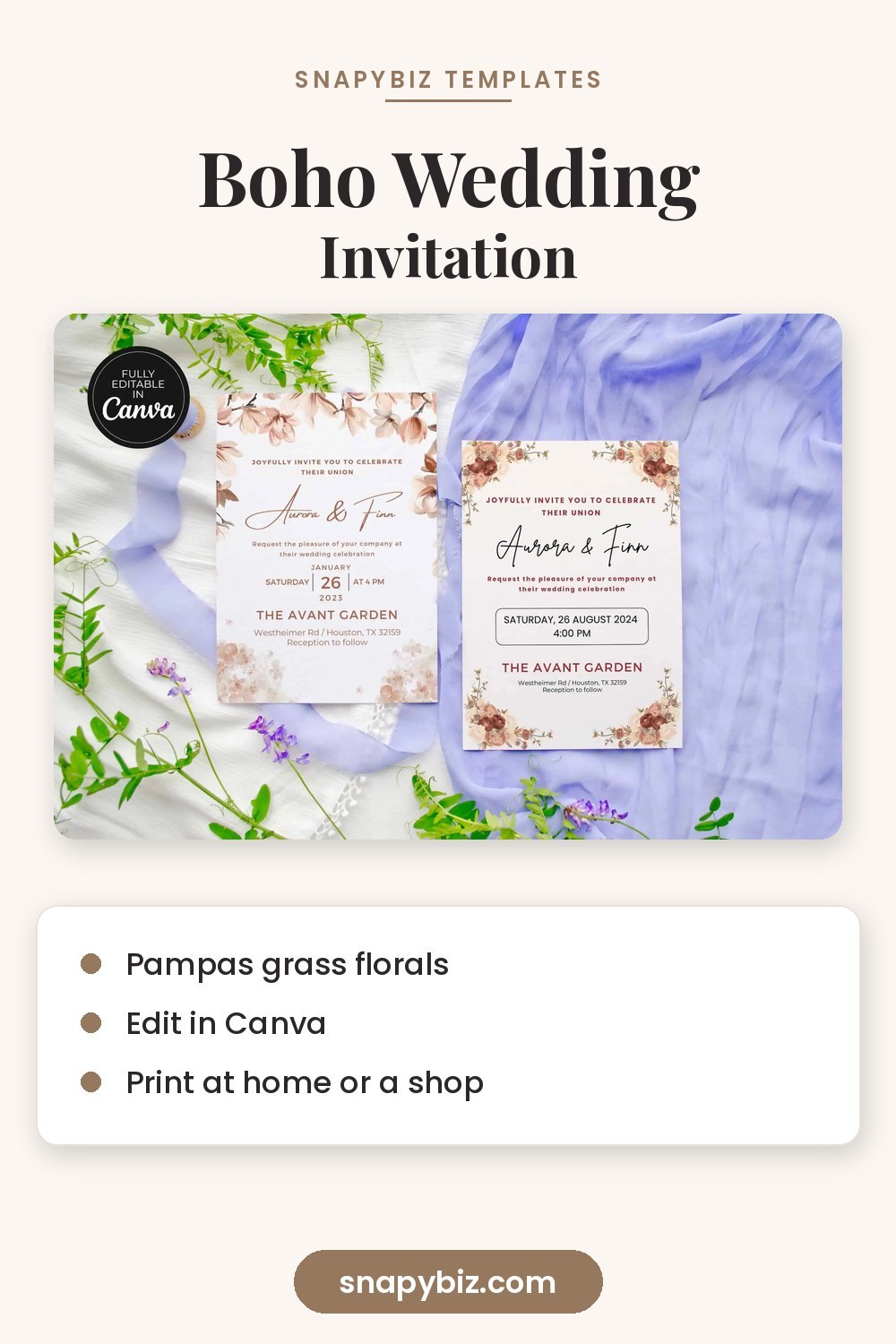

Boho Wedding Invitation Canva Templates
$1.50
Pampas grass and dried florals for relaxed, outdoor and boho weddings.
Get this templateWildflower and rustic
Little meadow flowers and a hand drawn feel suit barns, farms and countryside venues. They look especially sweet with twine or a wax seal.

Editable Wildflower Wedding Invitation Canva Templates
$1.50
Little meadow flowers with a rustic feel, 5 x 7 inches, ready to edit in Canva.
Get this templateRetro rust
Warm rust and terracotta colors with a vintage typeface bring a seventies feel to fall weddings and boho celebrations.

Editable Rust Retro Wedding Invitation Template
$1.50
Warm rust tones and retro type for vintage, boho and fall weddings.
Get this templateHow to edit a Canva wedding invitation step by step
Once you buy a template, you get a link that opens a copy of the design in your own Canva account. Your edits never change anyone else’s copy.
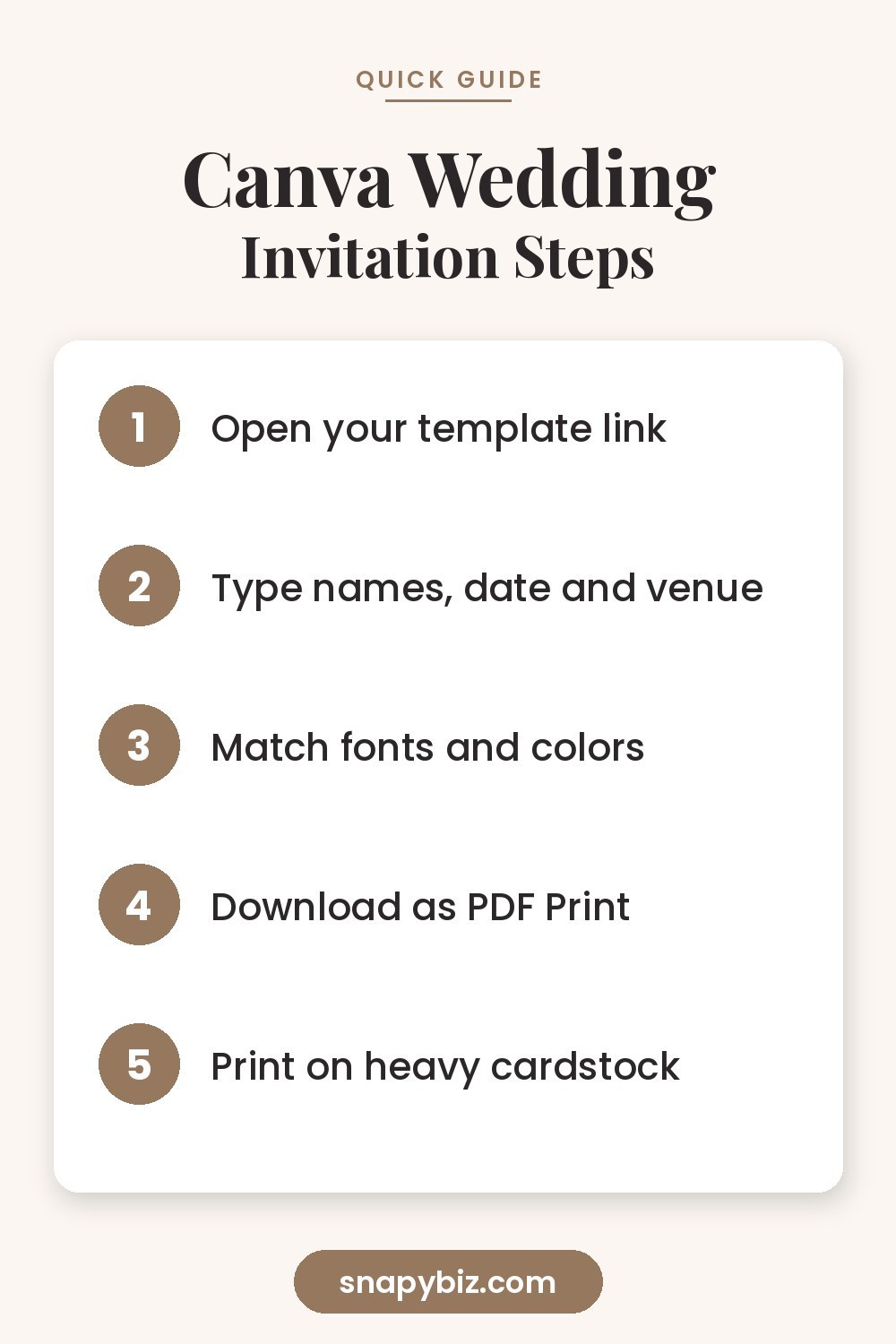
- Open the template link and sign in to Canva. Click Use template so the design saves to your account.
- Change the text. Click any text box and type your names, date, time, ceremony venue and reception details.
- Check the fonts. Keep the script font for your names and a simple serif or sans font for the details. Two fonts is plenty.
- Adjust colors. Click an element, then the color square in the top bar, to match your wedding palette. Change one color at a time so the design stays balanced.
- Swap or remove graphics. You can delete a flower, resize it, or drag in a new element from the Elements tab.
- Add a second page if you want the back of the card to show a map, a monogram or a pattern.
- Proofread twice. Read every line out loud, then ask someone else to read it too. Spelling mistakes in names and dates are the most common invitation regret.
If you have never edited a template before, our step by step guide on how to print invitations at home covers the printer settings that keep colors true.
What to write on your wedding invitation
Traditional invitations follow a simple order. You can keep it formal or make it relaxed, but include each piece so guests have what they need.
- The host line. Who is inviting. For example, “Together with their families” or “Mr. and Mrs. James Carter request the pleasure of your company.”
- The request line. “Invite you to celebrate their marriage” or “at the marriage of their daughter.”
- Your names. Usually the bride’s name first in traditional wording, but any order is fine.
- Date and time. Formal invites spell it out: “Saturday, the twelfth of June, two thousand twenty seven, at four o’clock in the afternoon.”
- Venue and city. The full street address can go on a details card.
- Reception line. “Dinner and dancing to follow” or “Reception immediately following.”
- RSVP details. A date and a website, phone number or reply card.
Formal example
Together with their families, Emma Rose Carter and Daniel James Hughes request the honor of your presence at their marriage. Saturday, the twelfth of June, two thousand twenty seven, at four o’clock in the afternoon. Saint Mary’s Church, Charleston, South Carolina. Reception to follow.
Relaxed example
Emma and Daniel are getting married! Join us for vows, dinner and a lot of dancing on June 12, 2027 at 4 PM, Oak Hill Farm, Asheville. Kindly reply by May 1.
Size, paper and envelopes
Most of our wedding invitation templates are 5 by 7 inches, the standard size in the United States. That size fits an A7 envelope, which measures 5.25 by 7.25 inches, with a little room to spare.
| Piece | Common size | Envelope |
|---|---|---|
| Invitation | 5 x 7 in | A7 |
| Details card | 4.25 x 5.5 in | Tucked in the A7 |
| RSVP card | 3.5 x 5 in | 4 Bar or A1 |
| Save the date | 5 x 7 in or 4 x 6 in | A7 or A6 |
Choose matte cardstock between 80 lb and 130 lb cover for a sturdy feel. Heavier paper looks more luxurious, but check that your home printer can feed it. Shimmer and linen textured paper add a special touch, though they work best with laser printers or a print shop.
For a finishing detail, an envelope liner adds a flash of pattern when guests open the mail. It is an easy DIY upgrade that makes simple envelopes feel custom.

Canva Envelope Liner Template for DIY Wedding Invitations
$2.00
Six editable liner frames in A7, A6, A2, 5.5 square and 4 bar sizes.
Get this templateHow to download your invitation for printing
The download settings matter more than most couples realize.
- For printing: Click Share, then Download, and choose PDF Print. Tick Crop marks and bleed if the design has color or flowers that run to the edge. This adds a small margin that gets trimmed away, so you never end up with a thin white border.
- For texting or email: Choose PNG for crisp images, or JPG for a smaller file size.
- For a print shop: Send the PDF Print file and tell them the finished size, paper weight and how many copies you need. Ask for a single printed proof first.
If you print at home, set your printer to its highest quality and choose the paper type that matches your cardstock. Print one test copy before the full batch.
When to send wedding invitations
A simple timeline keeps everything calm:
- Save the dates: six to eight months before, or up to a year for destination weddings.
- Order or print invitations: about three to four months before.
- Mail invitations: six to eight weeks before the wedding, or about three months ahead for a destination wedding.
- RSVP deadline: three to four weeks before the wedding, so you can finish the seating chart and give your caterer final numbers.
Once replies come in, our guide to making a wedding seating chart helps you place every guest. After the big day, you can find ready to copy notes in our wedding thank you card wording guide.
Common mistakes to avoid
- Missing the year or the city. Guests save invitations as keepsakes, and the year matters later.
- Tiny text. Keep detail text at 10 point or larger so older guests can read it.
- Low contrast. Pale gold text on cream paper looks lovely on screen but can fade in print. Test it first.
- Forgetting postage. Square envelopes and heavy suites cost more to mail. Take one complete invitation to the post office and have it weighed.
- Skipping the proof. Always print one copy and check it before printing a hundred.
Frequently asked questions
Is Canva free for wedding invitations?
Yes. You can edit our wedding invitation templates with a free Canva account. Canva Pro is only needed for Pro elements or fonts that are not already part of the template.
What size is a standard wedding invitation?
The most common size is 5 by 7 inches, which fits an A7 envelope. Details and RSVP cards are usually smaller and tuck in behind it.
Can I send a Canva wedding invitation digitally?
Yes. Download the design as a PNG or JPG and send it by text, email or a wedding website. Many couples send digital invites and print a small number for older relatives.
How do I print invitations with no white border?
Download as PDF Print with crop marks and bleed turned on, print on a larger sheet, then trim along the crop marks with a paper cutter.
How early should I send wedding invitations?
Mail them six to eight weeks before the wedding. For destination weddings, send them about three months ahead.
Summary
A Canva wedding invitation lets you design stationery that feels personal while staying on budget. Choose a style that matches your day, edit the names and details in Canva, follow the classic wording order, and download as PDF Print with bleed for clean edges. Print on heavy cardstock, add a liner if you like, and mail everything six to eight weeks before the wedding.