Quick answer: Free Canva templates are ready made designs you can open, edit, and download with a free Canva account. Canva lists over 1.6 million templates on its Free plan. SnapyBiz adds 42 free template products with more than 380 designs, from Instagram posts and Pinterest pins to thank you cards, tickets, and planners.
This page lists every free SnapyBiz template we could confirm in our store today. Each one costs $0.00 and opens in Canva. You can change the text, colors, and photos, then print or post it. You will also learn how to spot Pro elements, what the license allows, and which file type to download.
Free template library at a glance
| Category | Free products | Designs inside | Common sizes | Best for |
|---|---|---|---|---|
| Instagram and social media | 16 | 334+ | 1080 x 1080 px | Shop posts and holiday sales |
| Pinterest pins | 2 | 16 | 1000 x 1500 px | Bloggers who want blog traffic |
| Cards and invitations | 10 | 12+ | 6 x 4 in, 5 x 7 in | Package inserts and kids parties |
| Tickets, vouchers, and certificates | 5 | 9 | 8.5 x 3.5 in, 10 x 8 in | Gifts, events, and reunions |
| Business documents | 4 | 4 | A4, A5, US Letter | Quotes, resumes, and client forms |
| Planners and printables | 5 | 12+ | A4, A5, US Letter | Home, travel, and homeschool |
“Designs inside” counts only the numbers printed on each product page. A plus sign means at least one page in that group does not state a count.
How we checked this list
We opened each product page on snapybiz.com on October 21, 2026. We kept a product only if the page showed a price of $0.00 and said the design can be edited in Canva. We left out items that have “free” in the name but carry a price. We also left out dated items, such as a 2024 calendar. Prices can change, so check the product page before you check out.
Free Instagram and social media templates
Most of these posts use the square 1080 x 1080 px size. The Black Friday bundle also comes in Story, Pinterest, and Facebook sizes.
| Template | What you get | Size |
|---|---|---|
| Free Black Friday Social Media Template Bundle | 120 templates: 30 Instagram, 30 Story, 30 Pinterest, 30 Facebook | Four social sizes |
| Father’s Day Social Media Card Bundle | 60 templates: 30 cards and 30 Instagram posts | 5 x 7 in cards |
| Free Wedding Instagram Canva Templates | 30 posts for planners, venues, and bridal shops | 1080 x 1080 px |
| Black Friday Templates Bundle | 24 Canva templates for sale posts and ads, plus 5 email templates | Varies |
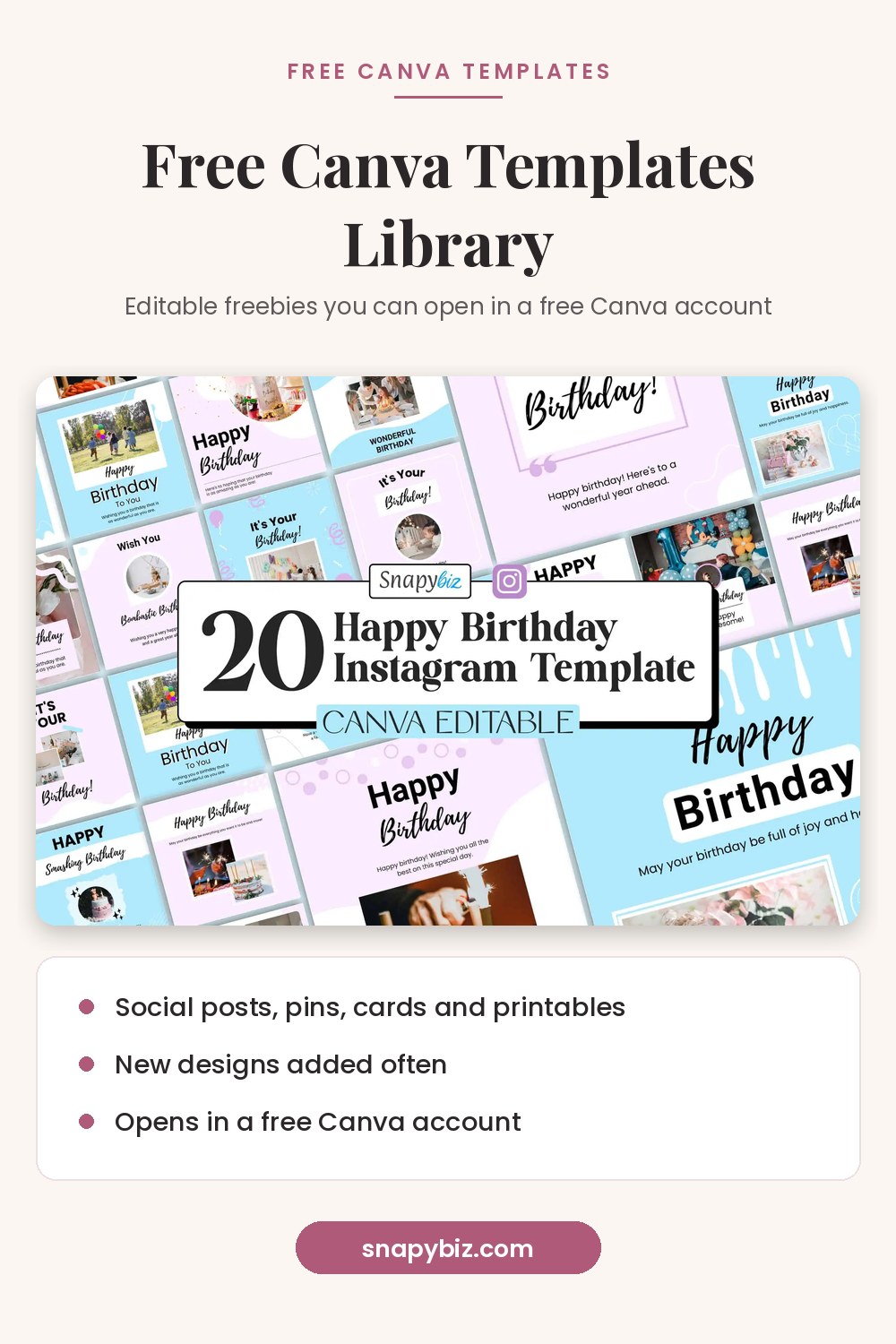
| Free Happy Birthday Instagram Canva Post Template | 20 birthday posts | 1080 x 1080 px |
| Free Nail Tech Icon Instagram Highlight Covers | 12 highlight covers | Instagram highlights |
| Free Instagram Canva Template For Food Blogger | 11 posts | 1080 x 1080 px |
| Free Lead Magnet Templates | 11 lead magnet designs for coaches | 1080 x 1080 px |
| Free 10 Thanksgiving Social Media Post Templates | 10 holiday posts | 1080 x 1080 px |
| Best Instagram Canva Template For Influencers | 9 posts | 1080 x 1080 px |
| Free Coffee Shop Instagram Post | 9 cafe posts | Instagram post |
| Food Instagram Post Template Free | 9 food blog posts | Instagram post |
| Free Canva Editable Templates for Instagram | 8 posts | 1080 x 1080 px |
| Free Flower Instagram Canva Social Media Templates | 1 sample post | 1080 x 1080 px |
| Free Thanksgiving Social Media Posts Template | Fall holiday posts | 1080 x 1080 px |
| Free Landing Page For Instagram | Link in bio landing page designs | Mobile page |

Free Black Friday Social Media Template Bundle
Free
Edit it in Canva, then download and print.
Get this template
Father’s Day Social Media Card Bundle
Free
Our Father’s Day Social Media Card Bundle is the solution for your Father’s Day marketing needs, offering a plethora of beautifully designed Canva templates.
Get this template
Free Wedding Instagram Canva Templates
Free
Edit it in Canva, then download and print.
Get this template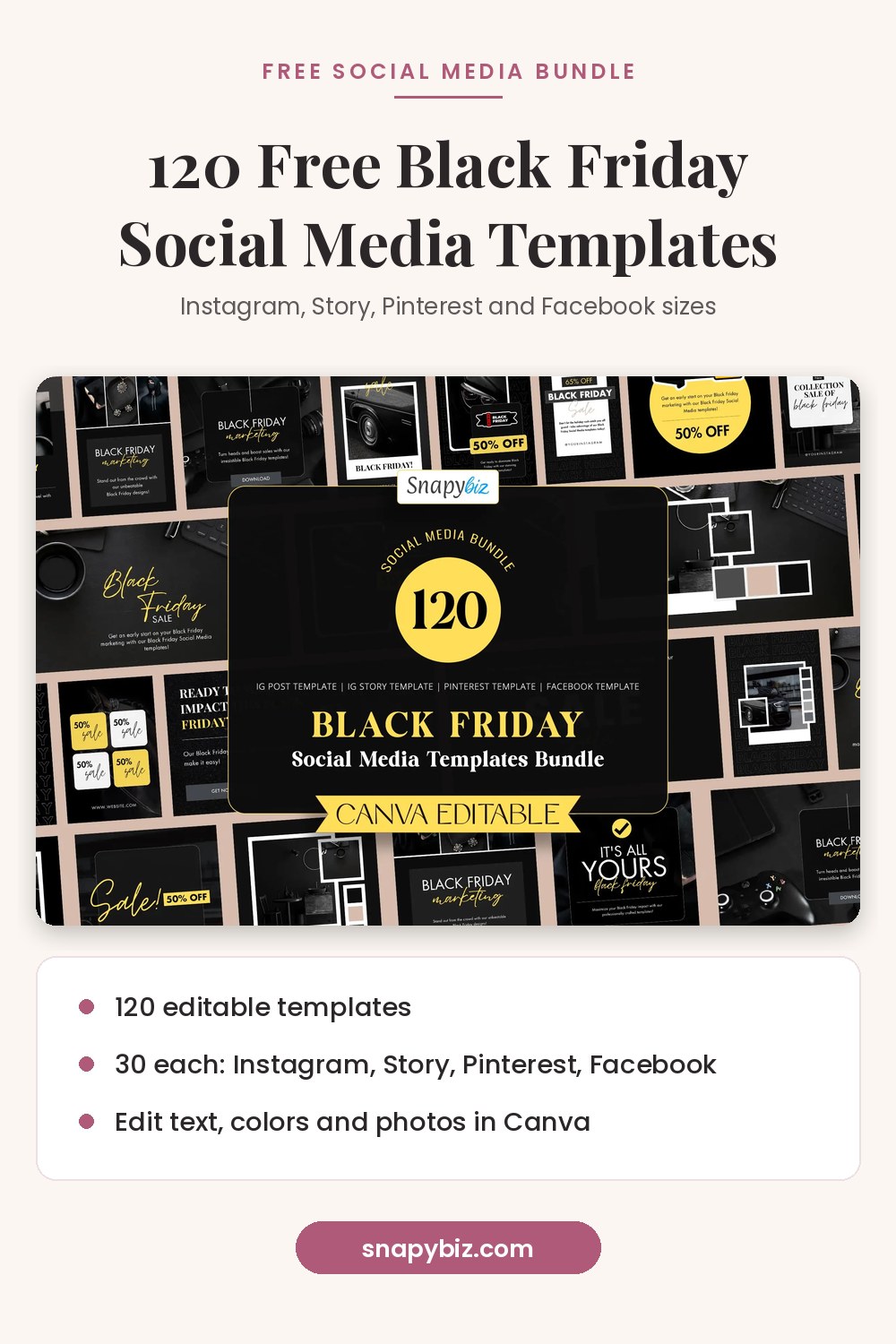
Free Pinterest pin templates
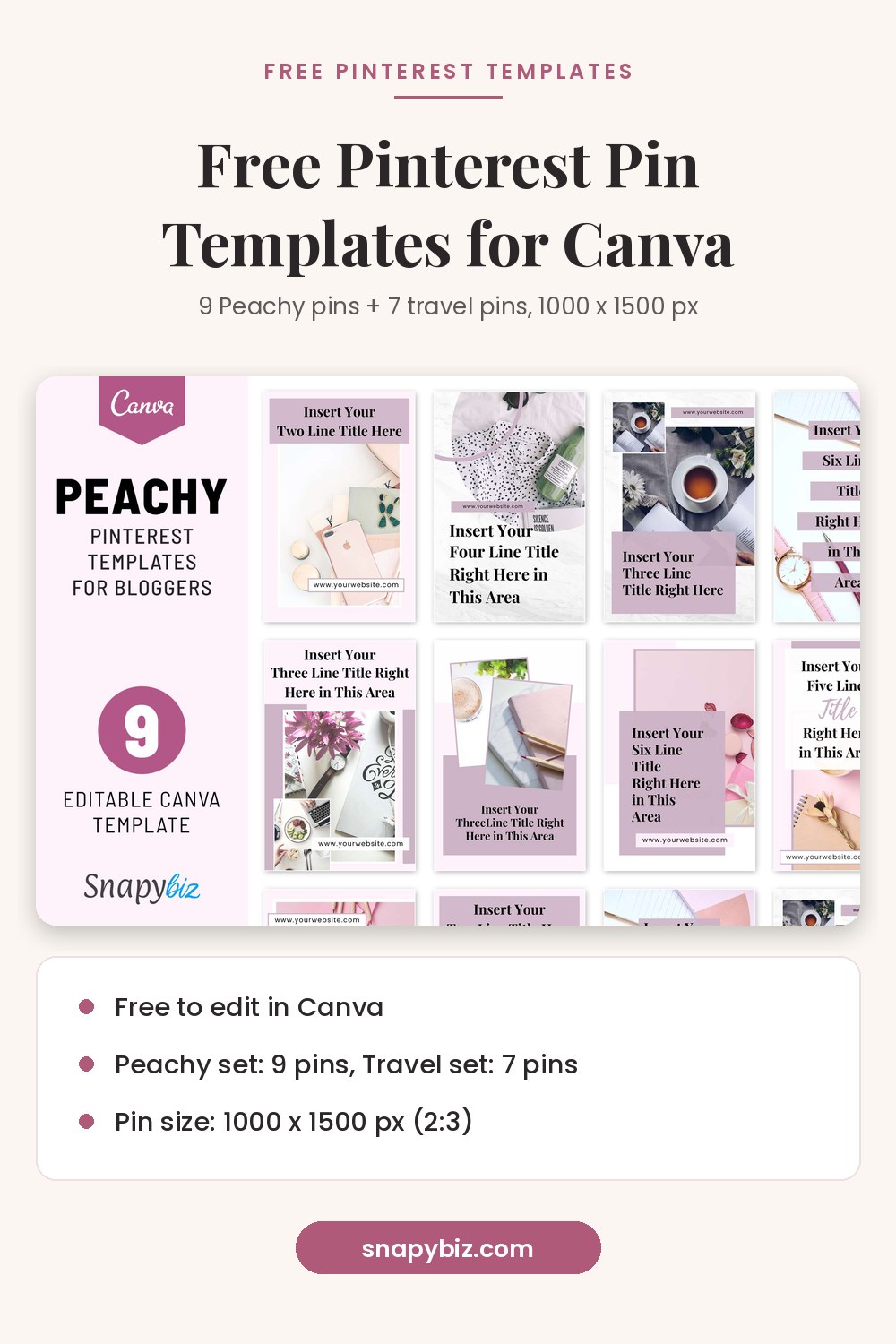
Yes, SnapyBiz has two free pin sets. Both use 1000 x 1500 px. That is the 2:3 ratio Pinterest recommends for standard image Pins. Pinterest says taller Pins may get cut off in the feed.
| Template | What you get | Size |
|---|---|---|
| Peachy Pinterest Canva Template For Bloggers | 9 pins in a soft peach and pink style | 1000 x 1500 px |
| Familiar Travel Blogger Pinterest Template | 7 pins for travel blogs | 1000 x 1500 px |
The Black Friday bundle above also has 30 Pinterest templates. For more styles, browse the Pinterest templates category.
Free thank you cards and invitations
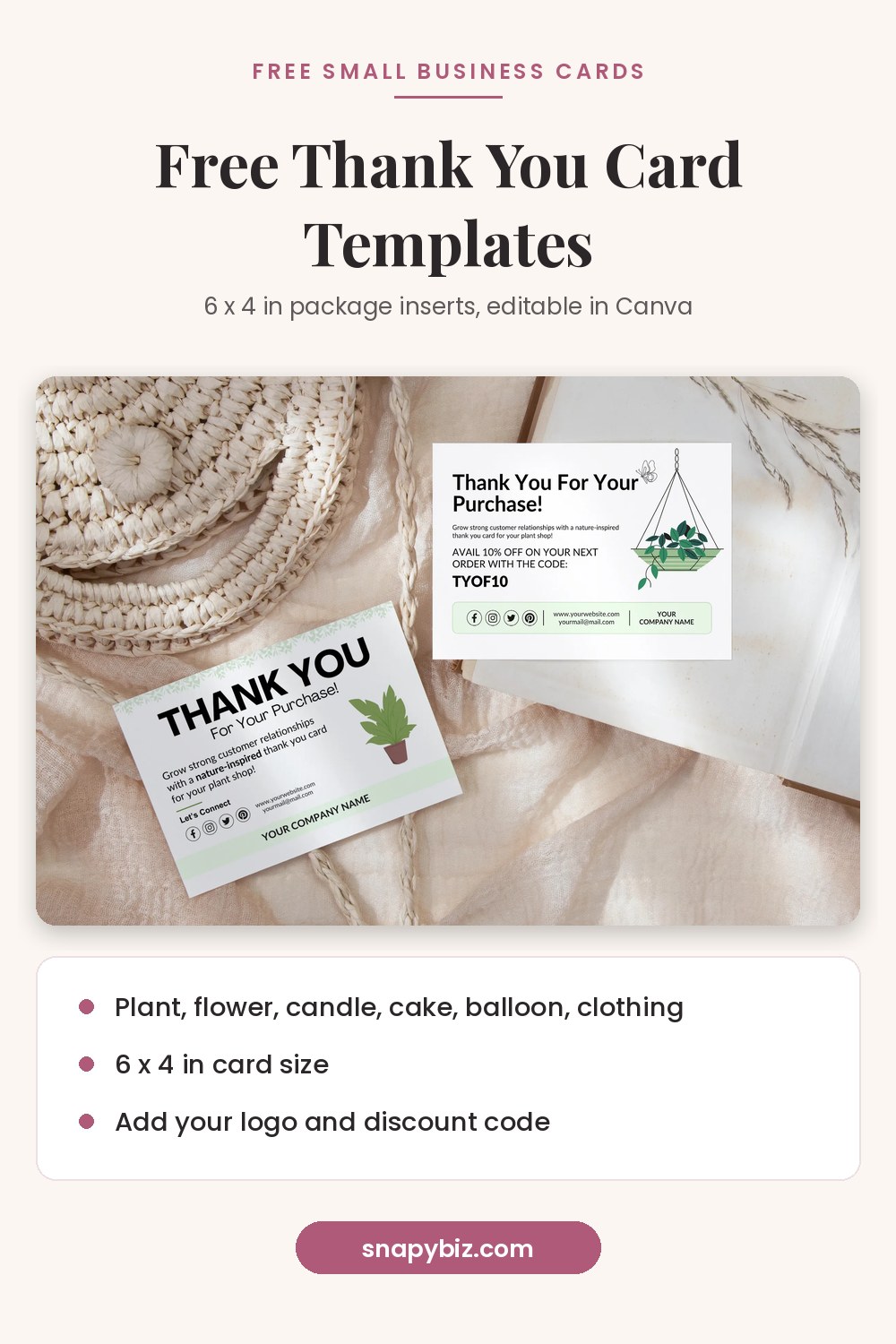
Small shops tuck thank you cards into orders. Each SnapyBiz thank you card is 6 x 4 inches, a common size for order inserts.
| Template | What you get | Size |
|---|---|---|
| Free Plant Business Thank You Card Template | 2 designs | 6 x 4 in |
| Free Flower Business Thank You Card Template | 2 designs | 6 x 4 in |
| Free Clothing Business Thank You Card Canva Template | 2 designs | 6 x 4 in |
| Balloon Business Cards: Free Thank You Card Template | 2 designs | 6 x 4 in |
| Free Candle Thank You Card Template | 1 design | 6 x 4 in |
| Thank You Card for Cake Business: Free Editable Template | 1 design plus a short guide | 6 x 4 in |
| Free Birthday Invitation For Kids | 2 designs | 5 x 7 in |
| Free Printable Thanksgiving Cards | Greeting cards for family or customers | Printable card |
| Free Thanksgiving Printable Cards | Print and cut cards | 5.5 x 4.25 in |
| Father’s Day Card PDF | Printable card for dad | 5 x 7 in |
Free Plant Business Thank You Card Template
Free
Free editable PLant Business Thank You Card .
Get this templateFree tickets, gift vouchers, and certificates
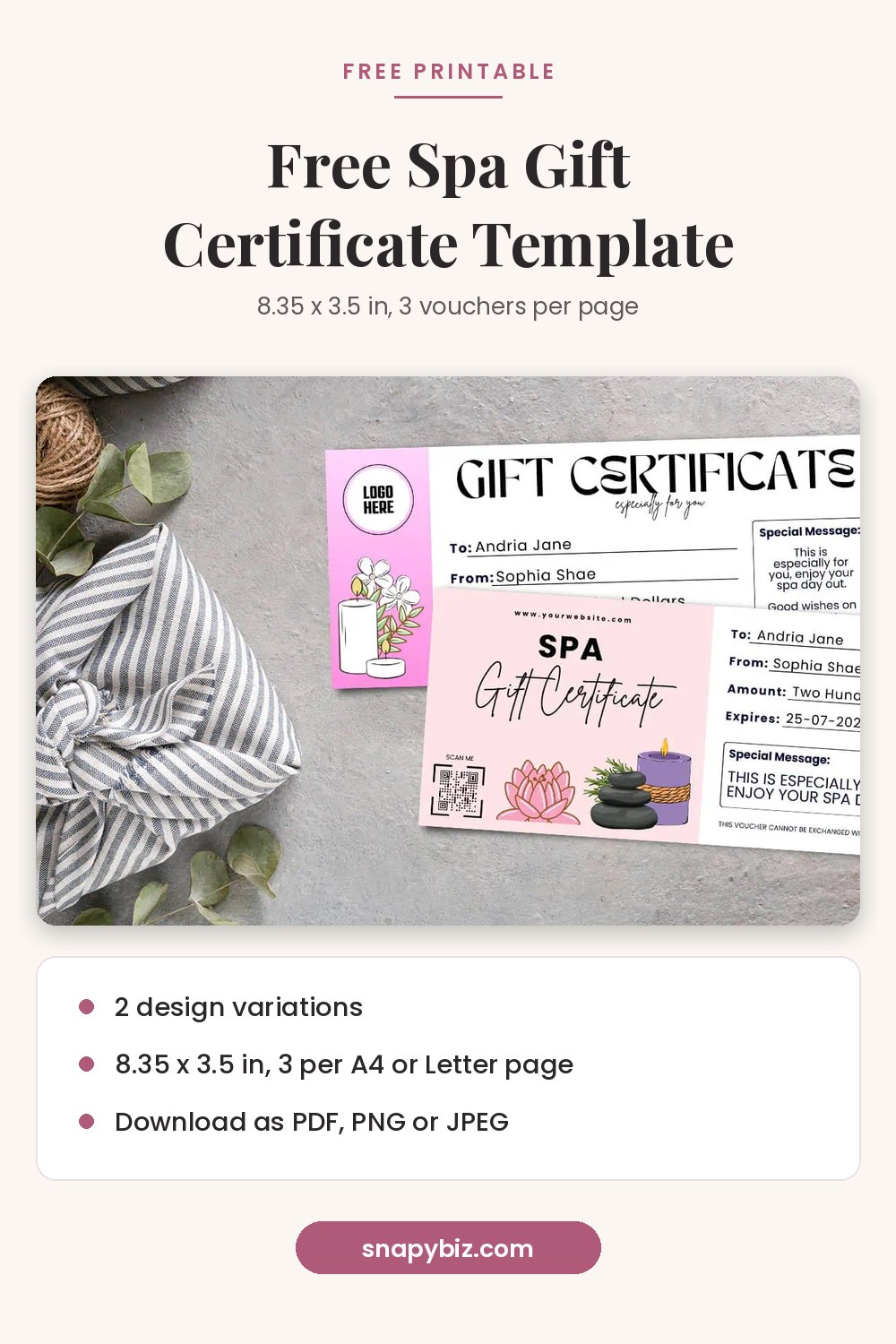
The spa voucher and the Mexico ticket print three to a page on A4 or US Letter paper. The other tickets use the same 8.5 x 3.5 inch size.
| Template | What you get | Size |
|---|---|---|
| Spa Gift Certificate Template: Free Printable Voucher | 2 designs, 3 per page | 8.35 x 3.5 in |
| Free Mexico Surprise Trip Ticket Templates | 2 boarding pass designs, 3 per page | 8.5 x 3.5 in |
| Free Editable Zoo Ticket Canva Template | 2 designs | 8.5 x 3.5 in |
| Canva Editable Free Baseball Ticket Template | 2 designs | 8.5 x 3.5 in |
| Family Reunion Certificates: Free Family Reunion Awards | 1 certificate | 10 x 8 in |
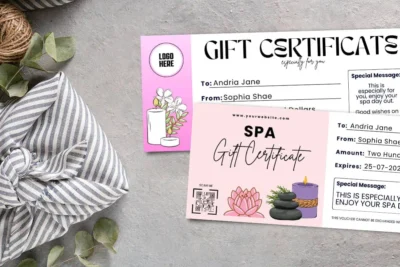
Spa Gift Certificate Template: Free Printable Voucher
Free
Give the gift of relaxation with this spa gift certificate template, free to edit in Canva and easy to print at home.
Get this templateFree business documents and planners you can edit in Canva
Business documents
| Template | What you get | Size |
|---|---|---|
| Free Job Estimate Template | 1 page quote form | A4, A5, US Letter |
| Free London Resume Template | 1 resume | A4 |
| Virtual Assistant Portfolio Website Canva Editable Template | 1 page portfolio site (on sale from $7.00 to $0.00) | Website |
| Free Printable Caregiver Forms PDF: Documentation Forms | Daily care log | A4, A5, US Letter |
Planners and printables
| Template | What you get | Size |
|---|---|---|
| Free Printable Vacation Planner | 6 planner designs | Printable |
| Birthday List Template Free: Printable PDF Download | 3 pages | A4, A5, US Letter |
| Morning Menu Printables: Free Homeschool Printable | 3 pages of tracing and number practice | A4, A5, US Letter |
| Bill Payment Calendar: Free Printable Bill Organizer | Monthly bill page | Multiple sizes |
| Fitness Tracker Template: Free Fitness Planner Printable PDF | Workout log | Printable |
You can find even more PDF printables, such as trackers and checklists, on the SnapyBiz freebies page.
How do you use a free SnapyBiz template in Canva?
Add the product to your cart and check out at $0.00. Open your order in My Account. The PDF guide holds a Canva template link. Click it while you are signed in to Canva, and the design opens as a template you can use. Edit it, then download it.
- Open the product page and choose Add to cart. The total should read $0.00.
- Finish checkout. Our FAQ explains that template links show on the download page and in your email.
- Open the PDF guide and click the Canva template link.
- Sign in to Canva. A free account works. Canva says anyone with a template link can view it and use it as a template.
- Change the text, colors, fonts, and photos.
- Download the file type that fits your project. The table below shows which one to pick.
How can you tell if a Canva element is free or Pro?
Look for a small crown on the thumbnail. Canva’s licensing page says Pro content shows a crown in the corner. Free users see a watermark on Pro content. You can remove it by buying a license for that one design or by moving to Canva Pro.
Our FAQ notes that some templates may use a Pro element. If you see a watermark, click the photo or graphic and replace it with a free one or your own upload. Canva’s premium elements guide shows other ways to clear the marks.
Can you use these free templates for business?
Yes, in most cases. Canva says you can use its content in designs for personal and commercial use, such as marketing and social media posts. You cannot resell or share Canva content on its own, as the Canva Content License Agreement and licensing page explain.
The SnapyBiz license lets you use our designs to promote your business and for client projects. No credit is needed. You may not resell, share, or pass on the templates or their Canva links.
Which file type should you download?
Pick the file type based on where the design will end up. Canva’s file type guide lists what each option does.
| Where you will use it | Canva file type | Why |
|---|---|---|
| Home or print shop | PDF Print | 300 dpi, with bleed and crop marks |
| Email or screen only | PDF Standard | 96 dpi, so the file stays small |
| Instagram or Facebook post | PNG or JPG | JPG keeps photo files small |
| Pinterest pin | PNG at 1000 x 1500 px | Pinterest suggests PNG in sRGB for the best quality |
| Logo or sticker with no background | Transparent PNG | Needs a paid Canva plan |
What are the limits of a free Canva account?
A free account covers most template edits. Still, a few tools sit behind a paid plan.
- Canva’s pricing page lists 1.6 million plus templates on Free and 3.6 million plus on Pro. Pro is listed at US$120 a year for one person.
- Transparent PNGs, CMYK color, and file compression need a paid plan, per Canva’s file type guide.
- Making your own template link needs a paid plan. Opening a link someone shares with you usually does not, per Canva Help. The one exception is a link made from a work email domain.
Canva is widely used. It reported 260 million monthly users in 2025. That is one reason so many shops offer designs made for it.
When is a paid bundle worth it?
A free set gives you one look. If you post every week, a bundle saves you from making new designs each time. These were the sale prices on October 21, 2026:
- Pinterest Template Bundle: 15 Editable Canva Designs: $2.00, down from $6.00
- 1150 Editable Pinterest Canva Pins Template Bundle: $6.00, down from $12.00
- 8000+ Canva Editable Templates Bundle Pack: $47.00, down from $97.00
You can also browse all Canva templates in the shop.
Frequently asked questions
Are free Canva templates really free?
Yes. A template marked free costs nothing to edit and download. The catch is Pro elements. If a design holds a Pro photo or font, Canva adds a watermark until you swap it or pay for it. Every template on this page showed $0.00 on October 21, 2026.
Do I need Canva Pro to edit SnapyBiz templates?
No. Our FAQ says the templates work with a free Canva account. If one element is Pro, you can replace it with a free one.
Does SnapyBiz have free Pinterest templates?
Yes. The Peachy Pinterest Canva Template For Bloggers has 9 pins. The Familiar Travel Blogger Pinterest Template has 7 pins. Both are 1000 x 1500 px and cost $0.00. The free Black Friday bundle adds 30 more.
Can I use these templates for client work?
Yes. The SnapyBiz license allows client projects. You can deliver the final JPG, PNG, PDF, or MP4 files to your client. You cannot hand over the template or its Canva link.
Can I share the Canva link with a friend?
No. Our license does not allow you to share or pass on template links. Send your friend to the product page so they can get their own free copy.
Why does my download show a watermark?
Your design has a Pro element in it. Click each photo, graphic, and text box to find the crown. Replace it with a free item or your own upload, then download again.
What size should a Pinterest pin be?
Pinterest recommends a 2:3 ratio, which is 1000 x 1500 pixels. Pins taller than 2:3 may get cut off in the feed.
Can I print these templates at home?
Yes. Download as PDF Print for a 300 dpi file. Some tickets and vouchers print three to a page on A4 or US Letter paper, so cut them after printing.
Summary
This library has 42 free template products with more than 380 designs. They cover Instagram, Pinterest, thank you cards, tickets, certificates, documents, and planners. All of them open in a free Canva account. Watch for the crown icon, pick PDF Print for paper, and use PNG for pins. For new drops, check the freebies page each month. We update this list as products change. A SnapyBiz freebie stays listed here only while it costs $0.00.
References
- Canva. Licensing Explained.
- Canva. Content License Agreement.
- Canva Help Center. Premium elements.
- Canva Help Center. Choose the right download file type for your Canva design.
- Canva Help Center. Share your Canva design and collaborate with anyone.
- Canva. Pricing: Compare Free, Pro, Business and Enterprise plans.
- Canva Newsroom. Canva’s 2025 year in review.
- Pinterest Business Help. Review ad specs.
- SnapyBiz. FAQ and License.